
 Wallet

Your in-game wallet manages token balances (MST, USDC, WLD) for trading, purchases, and withdrawals. First deposit funds before you can use them.
In-Game Wallet
The wallet is your financial hub in Mystic Forge. All in-game transactions use your wallet balances — no external wallet signatures needed for trades.
- View balances for MST, USDC, WLD, and other supported tokens

- Deposit, withdraw, transfer, and convert tokens

- Track your liquidity positions and active limit orders

- Access transaction history for all wallet operations


Making Deposits
Before you can trade or buy items, choose either a native deposit route or the Any Blockchain partner gateway. We recommend native USDC or WLD when available for the simplest path.
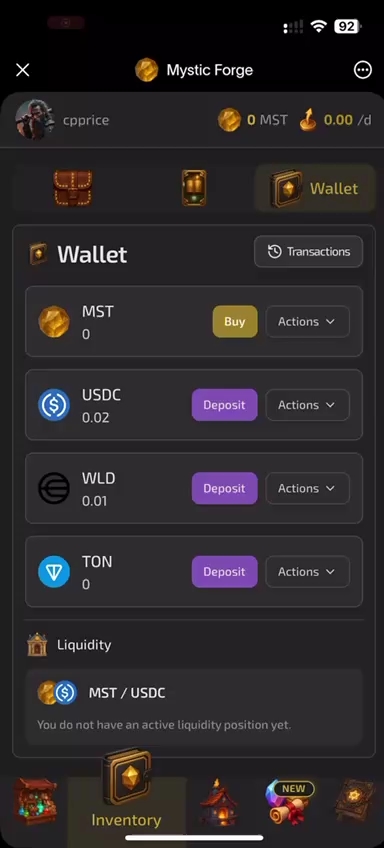
- Native deposit: use only a token and network pair shown for that direct wallet address — no extra gateway fee

- Any Blockchain opens a partner crypto-gateway invoice; pay with an asset and network offered on that current invoice (options can include ETH)
- A settled gateway payment is converted and credited to your in-game USDC balance; USDC is the credited asset, not an input-only rule

Wallet Actions
Each token row offers contextual actions via the actions menu.
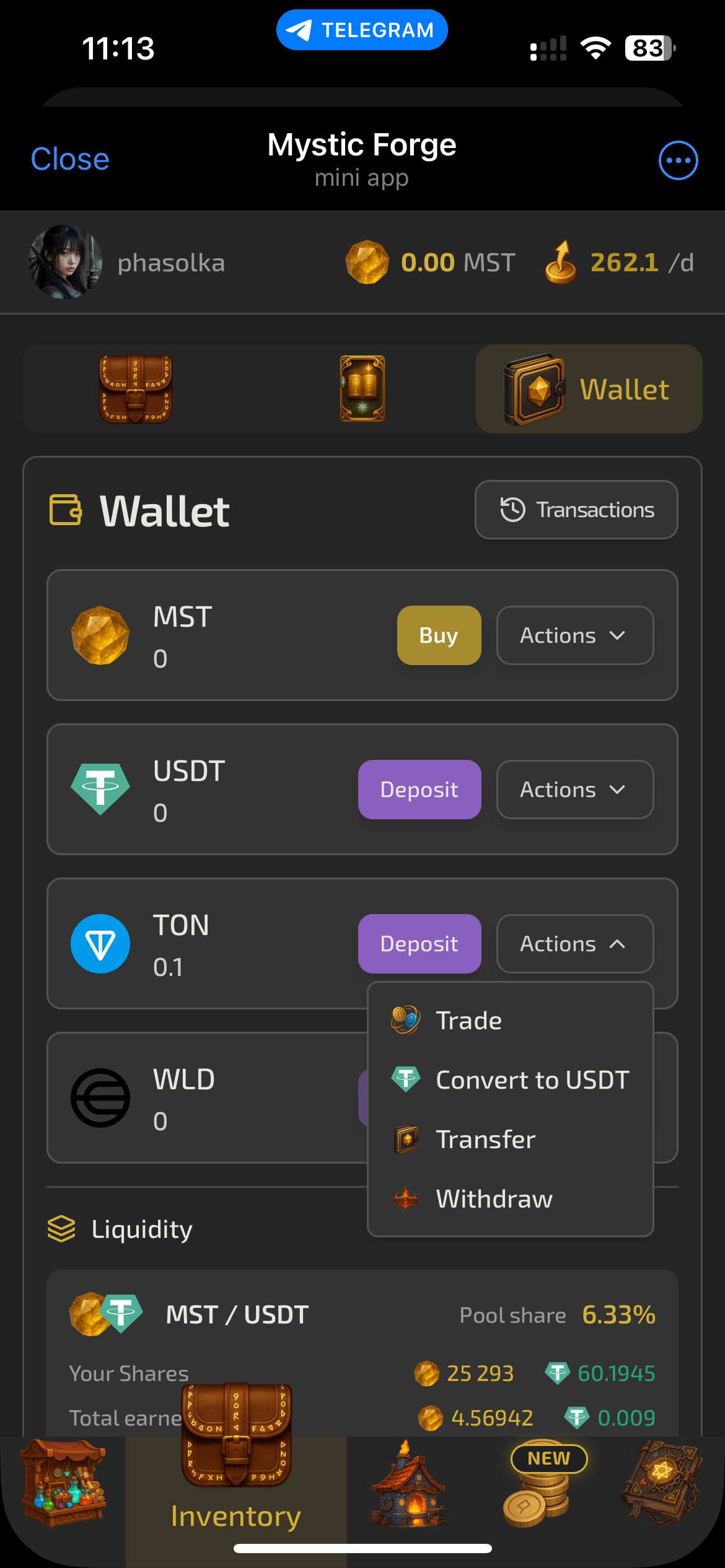
- Trade — open Swap to exchange MST ⇄ USDC
- Convert to USDC — exchange WLD or other tokens to USDC at market rate (1% fee)

- Transfer — send tokens to another player by username
- Withdraw — send tokens to an external wallet address

Liquidity & Orders
The wallet also displays your active trading positions.
- Liquidity positions show your pool shares and claimable rewards
- Limit orders show pending buy/sell orders with fill progress

- Claim LP rewards directly from the wallet interface
